Entering the work force is an uphill battle against seasoned candidates. Thankfully, digital tools are making it easier to apply. Use an easy-to-use resume builder that can easily turn your education into a resume and make your resume stand out. It’s about the formatting so you can show potential. In this guide, you’ll learn how to pick platforms, sidestep rookie mistakes and build a stand-out app for free.
Takeaway: A digital resume builder removes the formatting stress, allowing beginners to focus solely on presenting their unique potential and skills.
A Basic Understanding of the US Job Market
Platforms to Know Before Modern Hiring: In the US, your app will have to go through digital and human gatekeepers.
Definition: The digital application platform provides structured templates and auto-suggestions for content to create professional job history documents.
What difference does it make? Corporate recruiters spend 6 seconds on a resume. If your document ignores qualifications, it means you have messy layouts. Companies also scan documents for keywords using Applicant Tracking Systems (ATS). Your layout is ATS friendly, and you also have a dedicated platform to help you get an interview.
Takeaway: Your resume must be designed with a clean, ATS-friendly layout to successfully pass both automated software scans and quick human reviews.
What is the best resume builder for beginners?
When you start, you want a platform that gives you the most value for your education and soft skills. The best instrument is easy to use without technical difficulties.
Adobe Express is a solid choice. Its interface is easy to use, and you don’t need any design experience. Choose from professional templates, select one for your industry, and customize it using drag-and-drop mechanics. This makes it easy for an amateur to produce good-looking documents. Adobe Express is a great design tool, but you can track applications with tools that provide you with pre-written phrases.
Takeaway: Choose user-friendly platforms like Adobe Express for effortless design, and consider supplementary tools for application tracking and content inspiration.
How to Use a Resume Maker
If you take the process step-by-step, here’s how to write your first professional document:
- Create Raw Data: Record useful information in a text file. Add graduation dates, high GPAs, awards, and part-time jobs.
- Select a Template: Search for layouts that match your industry. Choose classic designs for corporate jobs or colorful templates for creative jobs.
- Smart Enter Details: Fill in fields with data. Write in bullet points instead of dense paragraphs. Begin each point with a verb.
- Custom fonts. Visual Branding Customizations. Dark text on a light background is readable.
- Export & Read Aloud: Hear Typos. Save as PDF to keep the formatting.
Takeaway: Prepare your information beforehand, use strong action verbs in bullet points, and always export the final document as a PDF to make the process more streamlined.
Can I create a resume for free?
New grads wonder if they have to pay for a pro app. Luckily you can create a quality document for free.
But be careful in the market. Many sites are free but actually work on a “freemium” model. You can enter information to find a paywall when you download. Check download policies ahead of time to avoid this. Good tools offer free templates with standard PDF downloads. No credit card required. The new guys just want it clean and structured and error-free.
Bottom line? Do your due diligence on download policies to avoid hidden paywalls and stick with tools that have free standard exports to PDF.
The American Experience – From Academic to Professional Value
The most significant entry barrier for beginners is a lack of experience. If you’ve never worked in a corporation, translate your academic and extracurricular experience into corporate language.
Employers know entry-level candidates don’t have a history of management. Rather, they want potential, a work ethic, and adaptability. Entry-level hires are often hired on soft skills like communication, problem-solving, and teamwork. Approach school experiences as jobs, and demonstrate these qualities. Team captain. Highlight leadership. Talk fiscal responsibility; say if you ran a club budget. You just finished a massive Capstone! Describe the research, time management, and presentation skills that are required.
Takeaway: Bridge the experience gap by translating your academic projects, sports, and extracurricular activities into highly valued professional soft skills.
Must-Haves for Every Entry-Level Candidate
Don’t get distracted by shiny objects. Focus on the most relevant features that will help you find a job:
- ATS Compatibility: Ensure your template code is clean so that ATS can read your text.
- Preformatted Sections: Your education and skills should be easy to outline without changing the spacing.
- Cloud Saving: Find a platform that automatically saves your progress to the cloud so you can edit from any device.
- Export Options: Make sure you can export your document in popular formats such as PDF.
- Key point: Seek out resume builders that boast clean ATS-friendly templates, simple formatting, cloud storage, and dependable PDF export.
Common Mistakes Made by Job Seekers
Applications that are spoiled by human error cannot be saved no matter how good the software is. Beginners tend to make mistakes that demonstrate unprofessionalism.
- Ensure your contact information is professional. An email like skaterdude99@email.com will get you rejected. Please provide your full name.
- Do not include a headshot. In North American applications, pictures are discouraged by strict anti-discrimination laws. No photos, unless you’re applying for modeling jobs.
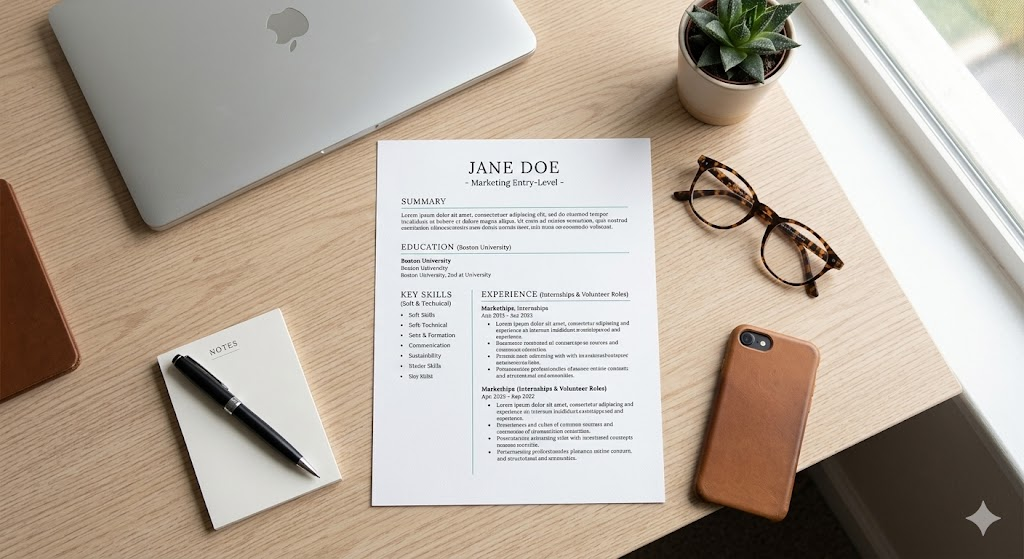
- Keep it short. A beginner’s document should never be more than one page. If it is too long, cut down on bullet points and delete old irrelevant experiences.
Takeaway: Maintain professionalism by using an appropriate email address, omitting headshots, and keeping your resume strictly to one page.
Summary
The first step is always the big one, so writing your first formal application shouldn’t be a stressful one. Modern technology, present yourself as a refined candidate immediately. Avoid formatting problems.
Create a clean look with tools like Adobe Express that will allow your education and soft skills to shine. Select a template wisely. Translate educational success to business value. Proofread carefully. A well-structured document will put you in a good position to confidently apply for your first job and begin your career successfully.
Takeaway: Using today’s digital tools, you can skip the formatting headaches and feel confident that your academic achievements are valuable professional assets.
Frequently asked questions (FAQ)
How Many Pages Should a Beginner Resume Be?
If you have less than 5 years of work experience, limit your document to 1 page. Recruiters want relevant, direct information, not long documents.
Put your GPA on your first job application.
Mention your Grade Point Average (GPA) only if it’s 3.5 or higher out of 4.0. If lower, leave it out and emphasize relevant coursework.
Should I write a cover letter when using a digital template?
Yeah. Sure, getting past the software screen is just a matter of formatting your page, but a personalized cover letter gives you a chance to show off your personality and explain your lack of formal experience.
Key takeaway: Keep your resume short (1 page), only include high GPAs (3.5+), and always include a tailored cover letter to give context to your experience.